Log in
You shouldn't have to be an expert to be safe on a computer.

Home

Guides

Seminars

Tips and Tricks

HTTPS Everywhere

Sunday, March 6th, 2011 (No comments yet)
Don't guess if your session is secure.

HTTPS is extremely important to prevent bad stuff from happening to your online accounts (like account hijacking). The problem is that many pages don't use HTTPS security by default instead forcing you to find a way to turn it on or give up and broadcast your name and password (or other sensitive information) to the world.

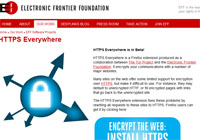
This simple plugin by the technologically-capable consumer privacy rights group, The Electronic Frontier Foundation (EFF) uses a neat little browser trick to turn on HTTPS security anywhere it's available. You won't have go guess anymore; just look in the address bar to see if the "S" is there or not.

Note that for sites that don't show up with the https, that means they don't have the extra security available. That may or may not matter for normal surfing, but if you're told to log in without HTTPS, back away slowly…

[Get it here]

Seminars and Guides

Sick of Identity theft?

CLICK HERE

Want to be safe online?

CLICK HERE
Work With Jeremy

Inquire about

Seminars

Conferences

Consultation

Private Tutoring

Classes

Support the Geek

If you hate ads as much as I do, please consider supporting us by donating or browsing our recommended products


Recommended Products and Services
Quick Tips:
IDENTITY THEFT
PRIVACY
INTERNET SAFETY
PASSWORDS

Using HTTPS For Secure Login and Payment Online

Making online accounts is useful and fun, but doesn't mean much if someone can capture your login information and use it against you. Make sure to use this simple trick to prevent that from happening.

[Click for full description]

Adblock Plus - Firefox Ad Blocker

With a simple Firefox plugin, you can block all those annoying ads you see all over the Internet.

[Click for full description]

BEEF TACO (Targeted Advertising Cookie Opt-Out)

TACO will automatically set and protect the cookies that opt you out of online tracking by marketers.

[Click for full description]

Long URL Please - Firefox Plugin for Link Safety

Undo the danger of "URL shortening services" by adding this cool plugin to Firefox. Optionally learn the tricks to preview URLs before visiting if you don't use Firefox.

[Click for full description]

Noscript

Use Noscript to block scripts on every site except the ones you actually trust.

[Click for full description]

HTTPS Everywhere

Web companies sacrifice your security for their wallets by leaving HTTPS protection off. Use this plugin to turn it back on by default (where available).

[Click for full description]

Nuke Anything - Stop Wasting Ink By Printing Stuff You Don't Want

With a simple Firefox plugin, you can remove any object from a webpage that you can see. This can make the pages easier to read, but also save money when printing.

[Click for full description]

The Onion Router (TOR)

Using the TOR network, you can prevent websites from knowing who you are.

[Click for full description]