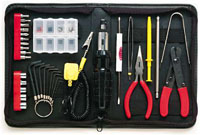
Useful Tools

One of the hardest things you can ever do is work at something without having the right tool available (as any mechanic, craftsman, cook, etc can tell you).

Here you will find tools to make Windows and the Internet work the way it should have in the first place. Judging on the popularity of this section, I'm not the only one that thinks so.

Windows Tools

Sometimes Windows says it won't delete, rename a file and won't let you do anything about it. Unlocker says you can.
Truecrypt - A free utility to encrypt files or even full disk drives.
When you first get a computer that's loaded with crap software like free trials and junk, you wish there was a tool to make removing them easier. Well... tada!
To make sure your computer is safe and secure, keep all your software up to date.

Internet Tools

IP Checker - Shows your IP address and other information that your browser tells us about you.
10 Minute Mail - A web-based temporary e-mail account for recieving validation e-mails.
BugMeNot - Don't even bother using the fake mail to get an account if you can bypass the login entirely.
The Internet Archive - A project that attempts to record every version of every website ever.

Loading...

If you want to learn more about my professional background, click here to learn more.

Check out one of my guides/tutorials:

internet safety Tutorial
|INDEX|next: Online Addiction

General Safety

Avoid fake and nasty websites with my search engine trick.
Watch out for online addiction. Getting lost in fun online activities can be just as addiction as any drug.
So you want to write, publish, or share information online? Be careful. Things you say may be lost or forgotten, but things put on the Internet never are.
Don't fall for the well-known (or the new scams either) bad guys use to trick you into give away data or money.

Account Protection

Want to make an account with some online service? Read this first!
The newest, biggest risk online? Account hijacking! Don't become a victim by allowing your account to be taken over and learn to recognize when someone else has been.
Be sure transmission security is active before entering a name, password, credit card number, or other important information online.

... or check out any of my other guides and tutorials by clicking here!

Unlocker - Delete Or Modify Locked Files in XP

Take control of your own files. When XP says you can't delete, rename, or move a file, this utility forces it to do it anyway!

[Click for full description]

Truecrypt - Free Encryption Utility to Protect Your Files

Encrypting your files or whole hard disk is easy and effective with a free tool called Truecrypt.

[Click for full description]

PC Decrapifier

Many pc makers load up computers with worthless software (crapware). This tool fixes it.

[Click for full description]

Secunia PSI

Secunia is a software update scanner that can help keep your system protected by using only the most recent versions of everything.

[Click for full description]

IP and HTML Headers Check

Use this page to show and learn how to limit the various data about you that your browser supplies to every page you visit.

[Click for full description]

10 Minute Mail - Self Destructing E-mail Service

One way of protecting your e-mail is to not give it out. That can be hard when it seems everyone asks for you to validate e-mails sent to your account. That's where a self destructing e-mail account comes in handy!

[Click for full description]

Bug Me Not - Login Avoidance Tool

For sites the require registration, but don't really need it, save time and see if someone has left a common-use login and password at BugMeNot

[Click for full description]

The Internet Archive

If you want to see what the Internet used to be, use the archive.

[Click for full description]

How to Avoid Bogus Websites

There are bogus websites out there hoping you'll hit them by accident or using phishing to trick you into coming to them. Learn my simple trick to avoid these sites!

[Click for full description]

Online Addiction

Concerned about online addiction? You should be. Learn the types, the signs, and the preventions.

[Click for full description]

The Consequences of Posting Online

It's fun to post online. What you think, what you feel. But words typed and posted on the Internet can come back to bite you more than anything you could say with your mouth.

[Click for full description]

Tricks and Scams

Just because you won't willing give up data doesn't mean that I can't trick you out of it. Don't fall for these well known tricks!

[Click for full description]

Account Creation Tips

When you create an account with an online site, you should know a few things first.

[Click for full description]

Account Hijacking

One of the newest threats we face is the risk of someone getting control of your online account and using it against you and the people you know. Do everything you can to prevent that from happening!

[Click for full description]

Using HTTPS For Secure Login and Payment Online

Making online accounts is useful and fun, but doesn't mean much if someone can capture your login information and use it against you. Make sure to use this simple trick to prevent that from happening.

[Click for full description]