Yes, it's THAT book!

Drop your email here to stay informed of the status of my "tell most" book about the National Security Agency:

--OR--

Read a little about the book here:

Employees are allies, not the adversary

--OR--

Check out the Kickstarter here (click)
How can I help you?
Contact Jeremy
Recommendations

Here's something that


I, Jeremy Duffy, actually recommend and think is worth checking out.
No web-bugs, no bs, just a legit recommmendation that I have personally evaluated before allowing it to be listed here:

Think something's here that shouldn't be? contact me!

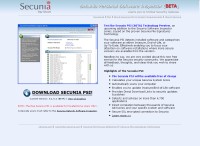
Secunia PSI

Keep all your software up-to-date from one simple program

This software scans the software on your computer and their current versions and compares them to the database they have to see if there are any updates you need. It sounds very cool, but I haven't tried it yet. If you do, let me know what you think (assuming you get to it before I do).


Windows Tools

Sometimes Windows says it won't delete, rename a file and won't let you do anything about it. Unlocker says you can.
Truecrypt - A free utility to encrypt files or even full disk drives.
When you first get a computer that's loaded with crap software like free trials and junk, you wish there was a tool to make removing them easier. Well... tada!
To make sure your computer is safe and secure, keep all your software up to date.

Share This

Have a Comment or Question?

Loading...

If you want to learn more about my professional background, click here to learn more.

Check out one of my guides/tutorials:

web posting dangers Tutorial
|INDEX|next: Spyware Scanners
Chat, Instant Messaging, Forums, and Internet Blogs are fun, but make sure you post carefully.
Sometimes spyware gets in your computer and the anti-virus won't stop it. Use a spyware scanner to find and remove spyware and adware.
Use a software firewall to detect bad code on your computer when it tries to connect to the Internet.
Always keep your system up to date with security patches or none of the rest of your security software will matter.
Use an encryption tool to protect your important data when storing or transmitting it.
Switch to Firefox for your web browsing and you'll be better protected from Internet threats.

... or check out any of my other guides and tutorials by clicking here!

Unlocker - Delete Or Modify Locked Files in XP

Take control of your own files. When XP says you can't delete, rename, or move a file, this utility forces it to do it anyway!

[Click for full description]

Truecrypt - Free Encryption Utility to Protect Your Files

Encrypting your files or whole hard disk is easy and effective with a free tool called Truecrypt.

[Click for full description]

PC Decrapifier

Many pc makers load up computers with worthless software (crapware). This tool fixes it.

[Click for full description]

Secunia PSI

Secunia is a software update scanner that can help keep your system protected by using only the most recent versions of everything.

[Click for full description]

Spyware Scanners

Learn how to detect and remove spyware and adware using a free scanning tool.

[Click for full description]

Software Firewall

Learn what a firewall is and why you want one on your computer.

[Click for full description]

Operating System Updates

Make sure to keep your operating system up-to-date with security patches or else none of the rest of your security software will be able to protect you.

[Click for full description]

File Encryption

Learn how to protect your important files on your computer or when transmitting them with free tools for file encryption.

[Click for full description]

Mozilla Firefox - Internet Browser

There are many browser choices out there. Read why I think Firefox is one of the best.

[Click for full description]