Yes, it's THAT book!

Drop your email here to stay informed of the status of my "tell most" book about the National Security Agency:

--OR--

Read a little about the book here:

Employees are allies, not the adversary

--OR--

Check out the Kickstarter here (click)
How can I help you?
Contact Jeremy
Recommendations

Here's something that


I, Jeremy Duffy, actually recommend and think is worth checking out.
No web-bugs, no bs, just a legit recommmendation that I have personally evaluated before allowing it to be listed here:

Think something's here that shouldn't be? contact me!

Government Says They Can Read Your E-mail Without a Warrant

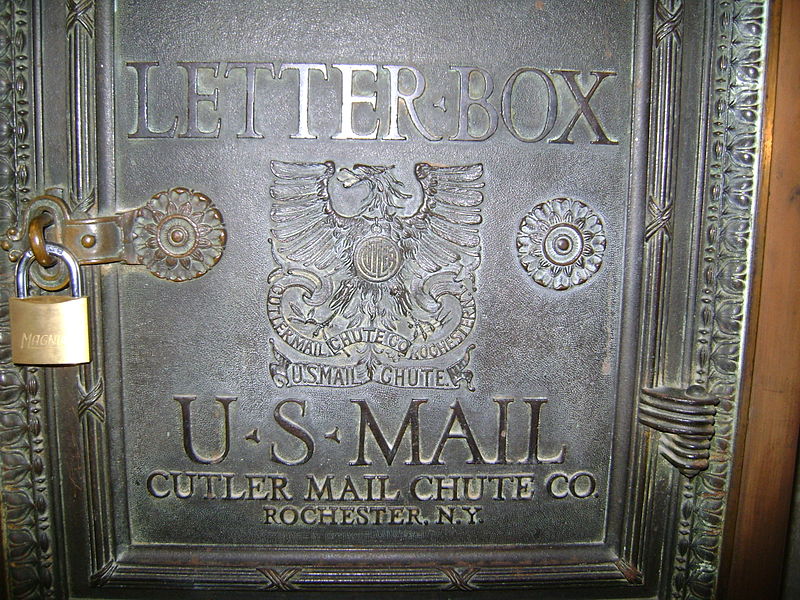
Keeping your mail private is not as easy as it should be.
(Image used under: Creative Commons 3.0 [SRC])

In this article, they explain that the Government can use the laws the way they're written now to read any e-mail that is hosted on someone else's computer (like the servers at AOL, Google, Hotmail).

A man who was partially convicted based on his e-mails is suing saying that it's unconstitutional for them to read his e-mails without a warrant. While the case is in appeals, the arguments are that e-mail should have the same privacy protections as snail mail while the government cites several reasons why they can and should be able to read them.

Tags: ,

Share This

Have a Comment or Question?

Loading...

If you want to learn more about my professional background, click here to learn more.

Check out one of my guides/tutorials:

web posting dangers Tutorial
|INDEX|next: Spyware Scanners
Chat, Instant Messaging, Forums, and Internet Blogs are fun, but make sure you post carefully.
Sometimes spyware gets in your computer and the anti-virus won't stop it. Use a spyware scanner to find and remove spyware and adware.
Use a software firewall to detect bad code on your computer when it tries to connect to the Internet.
Always keep your system up to date with security patches or none of the rest of your security software will matter.
Use an encryption tool to protect your important data when storing or transmitting it.
Switch to Firefox for your web browsing and you'll be better protected from Internet threats.

... or check out any of my other guides and tutorials by clicking here!

Spyware Scanners

Learn how to detect and remove spyware and adware using a free scanning tool.

[Click for full description]

Software Firewall

Learn what a firewall is and why you want one on your computer.

[Click for full description]

Operating System Updates

Make sure to keep your operating system up-to-date with security patches or else none of the rest of your security software will be able to protect you.

[Click for full description]

File Encryption

Learn how to protect your important files on your computer or when transmitting them with free tools for file encryption.

[Click for full description]

Mozilla Firefox - Internet Browser

There are many browser choices out there. Read why I think Firefox is one of the best.

[Click for full description]