


Give Up Your Memory Card!

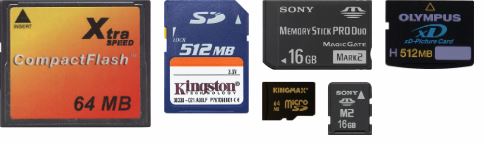
(Image used under: Creative Commons 3.0 [SRC])
People who are too willing to hand over their memory cards from digital cameras may end up finding themselves cheated as this guy almost found out:
 As they were walking around, Jeff saw some interesting looking produce and pulled out his Canon G-9 Point-and-Shoot and took a few pictures. Within a few minutes a man came up dressed in plain clothes, flashed a badge, and told him he couldn’t take photos in the store. My brother said "no problem" (after all, it’s a private store, right?), but then the guy demanded my brother’s memory card.
My brother gave him that “Are you outta your mind ? look and said, "No way!" Can you guess what happened next? The guy simply shrugged his shoulders and walked away.
My brother saw him in the store a little later, and the guy had a bag and was shopping. My brother made eye contact with him, and the guy turned away as though he didn’t want Jeff looking at him. Jeff feels like this wasn’t "official store security," but instead some guy collecting (and then reselling) memory cards from unsuspecting tourists (many of whom might have just surrendered that card immediately).
As they were walking around, Jeff saw some interesting looking produce and pulled out his Canon G-9 Point-and-Shoot and took a few pictures. Within a few minutes a man came up dressed in plain clothes, flashed a badge, and told him he couldn’t take photos in the store. My brother said "no problem" (after all, it’s a private store, right?), but then the guy demanded my brother’s memory card.
My brother gave him that “Are you outta your mind ? look and said, "No way!" Can you guess what happened next? The guy simply shrugged his shoulders and walked away.
My brother saw him in the store a little later, and the guy had a bag and was shopping. My brother made eye contact with him, and the guy turned away as though he didn’t want Jeff looking at him. Jeff feels like this wasn’t "official store security," but instead some guy collecting (and then reselling) memory cards from unsuspecting tourists (many of whom might have just surrendered that card immediately).