Yes, it's THAT book!

Drop your email here to stay informed of the status of my "tell most" book about the National Security Agency:

--OR--

Read a little about the book here:

Employees are allies, not the adversary

--OR--

Check out the Kickstarter here (click)
How can I help you?
Contact Jeremy
Recommendations

Here's something that


I, Jeremy Duffy, actually recommend and think is worth checking out.
No web-bugs, no bs, just a legit recommmendation that I have personally evaluated before allowing it to be listed here:

Think something's here that shouldn't be? contact me!

Tips and Tricks

It's really amazing (and somewhat discouraging) how much time and effort are wasted sometimes only because there's a simple trick that you just didn't know. Fortunately, I know quite a few tricks and when I learn new ones that I think are useful, I'll share them here.

Tools
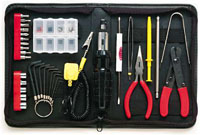
I'm a big fan of good tools. The problem is it can be hard to find good ones, ones that don't cost a lot, and ones that don't have hidden code or viruses in them. Well, I've done as much as I can to find the best free tools that are safe to use and you can check them out here! Maybe you'll find one that saves you as much time and trouble as they saved me.


Hacks

There aren't tools for every problem because some fixes just take knowing where to go and what setting to change. For these kinds of issues, check out my hacks section. Just like tools, just knowing the trick to making things work they way they should is very gratifying!


Share This

Have a Comment or Question?

2 Comments to “Tips and Tricks”

» Comments RSS Feed

hi im from the presentation that you did at #### school and wanted to thank you for giving us that time and effort you put in that llooooooooooooooooooooooooooooooooooooonnnnnnnng slide show,
thank you
Dylan #######

Loading...

If you want to learn more about my professional background, click here to learn more.

Check out one of my guides/tutorials:

computer security Tutorial
|INDEX|next: Spyware Scanners

Security Software

Make sure you have a up-to-date Anti-Virus Program to protect you against bad websites or files.
Sometimes spyware gets in your computer and the anti-virus won't stop it. Use a spyware scanner to find and remove spyware and adware.
Use a software firewall to detect bad code on your computer when it tries to connect to the Internet.
Always keep your system up to date with security patches or none of the rest of your security software will matter.
Use an encryption tool to protect your important data when storing or transmitting it.
Switch to Firefox for your web browsing and you'll be better protected from Internet threats.

Safe Computing Practices

Don't get tricked by fake alerts or clever webpages into downloading viruses or spyware!

... or check out any of my other guides and tutorials by clicking here!

Anti-Virus

A virus can come from files, e-mails, web pages, or even devices you plug in (like thumbdrives or printers) and destroy your files or your computer once they get in. An anti-virus is software designed to detect and prevent that from happening.

[Click for full description]

Spyware Scanners

Learn how to detect and remove spyware and adware using a free scanning tool.

[Click for full description]

Software Firewall

Learn what a firewall is and why you want one on your computer.

[Click for full description]

Operating System Updates

Make sure to keep your operating system up-to-date with security patches or else none of the rest of your security software will be able to protect you.

[Click for full description]

File Encryption

Learn how to protect your important files on your computer or when transmitting them with free tools for file encryption.

[Click for full description]

Mozilla Firefox - Internet Browser

There are many browser choices out there. Read why I think Firefox is one of the best.

[Click for full description]

Fake Alerts

Maybe you've done everything right and you're computer is sufficiently fortress-like, but then you or someone in your family falls for a simple scam that tricks them into directly installing the bad guy's virus! Learn how to spot and ignore fakes!

[Click for full description]