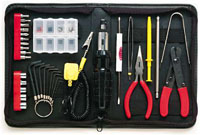
Useful Tools

One of the hardest things you can ever do is work at something without having the right tool available (as any mechanic, craftsman, cook, etc can tell you).

Here you will find tools to make Windows and the Internet work the way it should have in the first place. Judging on the popularity of this section, I'm not the only one that thinks so.

Windows Tools

Sometimes Windows says it won't delete, rename a file and won't let you do anything about it. Unlocker says you can.
Truecrypt - A free utility to encrypt files or even full disk drives.
When you first get a computer that's loaded with crap software like free trials and junk, you wish there was a tool to make removing them easier. Well... tada!
To make sure your computer is safe and secure, keep all your software up to date.

Internet Tools

IP Checker - Shows your IP address and other information that your browser tells us about you.
10 Minute Mail - A web-based temporary e-mail account for recieving validation e-mails.
BugMeNot - Don't even bother using the fake mail to get an account if you can bypass the login entirely.
The Internet Archive - A project that attempts to record every version of every website ever.

Loading...

If you want to learn more about my professional background, click here to learn more.

Check out one of my guides/tutorials:

computer security Tutorial
|INDEX|next: Spyware Scanners

Security Software

Make sure you have a up-to-date Anti-Virus Program to protect you against bad websites or files.
Sometimes spyware gets in your computer and the anti-virus won't stop it. Use a spyware scanner to find and remove spyware and adware.
Use a software firewall to detect bad code on your computer when it tries to connect to the Internet.
Always keep your system up to date with security patches or none of the rest of your security software will matter.
Use an encryption tool to protect your important data when storing or transmitting it.
Switch to Firefox for your web browsing and you'll be better protected from Internet threats.

Safe Computing Practices

Don't get tricked by fake alerts or clever webpages into downloading viruses or spyware!

... or check out any of my other guides and tutorials by clicking here!

Unlocker - Delete Or Modify Locked Files in XP

Take control of your own files. When XP says you can't delete, rename, or move a file, this utility forces it to do it anyway!

[Click for full description]

Truecrypt - Free Encryption Utility to Protect Your Files

Encrypting your files or whole hard disk is easy and effective with a free tool called Truecrypt.

[Click for full description]

PC Decrapifier

Many pc makers load up computers with worthless software (crapware). This tool fixes it.

[Click for full description]

Secunia PSI

Secunia is a software update scanner that can help keep your system protected by using only the most recent versions of everything.

[Click for full description]

IP and HTML Headers Check

Use this page to show and learn how to limit the various data about you that your browser supplies to every page you visit.

[Click for full description]

10 Minute Mail - Self Destructing E-mail Service

One way of protecting your e-mail is to not give it out. That can be hard when it seems everyone asks for you to validate e-mails sent to your account. That's where a self destructing e-mail account comes in handy!

[Click for full description]

Bug Me Not - Login Avoidance Tool

For sites the require registration, but don't really need it, save time and see if someone has left a common-use login and password at BugMeNot

[Click for full description]

The Internet Archive

If you want to see what the Internet used to be, use the archive.

[Click for full description]

Anti-Virus

A virus can come from files, e-mails, web pages, or even devices you plug in (like thumbdrives or printers) and destroy your files or your computer once they get in. An anti-virus is software designed to detect and prevent that from happening.

[Click for full description]

Spyware Scanners

Learn how to detect and remove spyware and adware using a free scanning tool.

[Click for full description]

Software Firewall

Learn what a firewall is and why you want one on your computer.

[Click for full description]

Operating System Updates

Make sure to keep your operating system up-to-date with security patches or else none of the rest of your security software will be able to protect you.

[Click for full description]

File Encryption

Learn how to protect your important files on your computer or when transmitting them with free tools for file encryption.

[Click for full description]

Mozilla Firefox - Internet Browser

There are many browser choices out there. Read why I think Firefox is one of the best.

[Click for full description]

Fake Alerts

Maybe you've done everything right and you're computer is sufficiently fortress-like, but then you or someone in your family falls for a simple scam that tricks them into directly installing the bad guy's virus! Learn how to spot and ignore fakes!

[Click for full description]