


Second Life – Security Tips for New Players

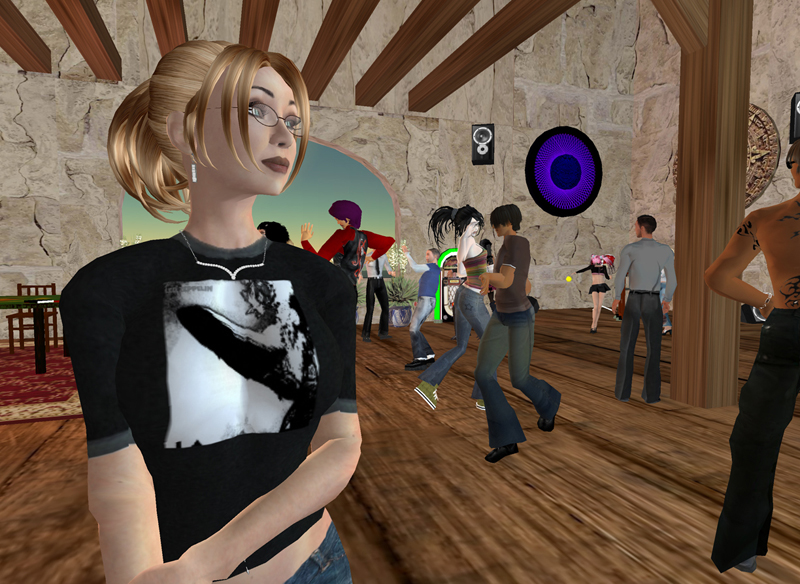
Linden (the "game's" creator) would love for you to just jump right in and start having fun, but you might want to know a few things before you do.
No One Knows Who You Are
No one knows who you are unless you let them. Keep your real data private and resist the urge to fill out your "profile" on the Second Life website. This prevents in-game issues from becoming real-life issues.
Go Home!
The most constant piece of advice I've been given is that whenever you are in a location or involved in an action you don't like, you can "teleport" home by simply pressing Ctrl+Shift+H on your keyboard. Your home is a location that you set which can be anywhere in the Second Life (SL) world.
A suggested good place for new people to set is NCI (New Citizens Incorporated). Not only are they a safe place for everyone, but they provide free classes such as "Dealing with Griefers" and "Second Life Consumer Skills".
If Harassed, Report It!
Know and use the AR (Abuse Report) function. Doing so may not solve anything, but if a player consistently gets reports, Linden is more likely to take action. Also, if you check the box titled "Include Screenshot" it will send a picture of whatever was on your screen when you opened the report window making it that much more clear what another player was doing that you felt was worthy of reporting.
Know the Authorities
Anyone can put on a costume that looks like a police outfit or has a "badge", but, short of actual Linden employees, you aren't required to do anything anyone tells you. Linden employees are easy to recognize because they are the only ones who's characters have Linden as a last name.
Don't Accept Candy From Strangers
In a normal online game, being given something by another player is generally a good thing. At times, as a low level player, someone high level might walk by and drop some great items or cash into my hands. In Second Life (SL), using an item that was given to you could result in you avatar being sexually violated.
This is because on of the things Linden gave the players the ability to do is script actions. In what has become very common on the web and in modern gaming, the company lets the players create content that they want so they don't have to. This saves them time and money and makes the players happy.
Unfortunately, if you're not aware of this and not prepared, you could get yourself into things you didn't intend.
Luckily, the only time your avatar will perform scripts from other players is:
-
When you attach an item containing that script. You can freely accept a gift without issue, but when you "wear" or "attach" the item, it launches any scripts that may have been programmed into it.
To foil the attack, just be cautious about interacting with items especially those in dubious areas. If offered a "gift" and instructed to use it by someone, don't feel any pressure to respond. You can alway refuse the item or only try it out in a safe place.
-
When you use a poseball. Though items themselves can contain the same scripts as poseballs, poseballs are the most common way that people perform different movements and actions with their avatars. This could be as simple as sitting down or doing the chicken dance.
If you "sit" on something and your avatar starts responding in a way you don't like, just stand up or teleport away.
-
Another player requests permission to animate yours. This one is the easiest of all to deal with because you are given a prompt whether to allow the other character to script animate yours. Do so at your own risk, but if you decide to allow it and don't like the result, teleporting is always an answer as is using the "Stop all Scripts" command in the tools menu.

Avatar Graffiti
Leaving your avatar standing/sitting in the world unattended can attract some interesting behaviors and items.
If you're going to be away from the keyboard for a long time, either go home or log off.
Getting Pushed Around
A common thing for bored miscreants to do is to just push you around. The simplest way to avoid this is to sit down on something.
Cages
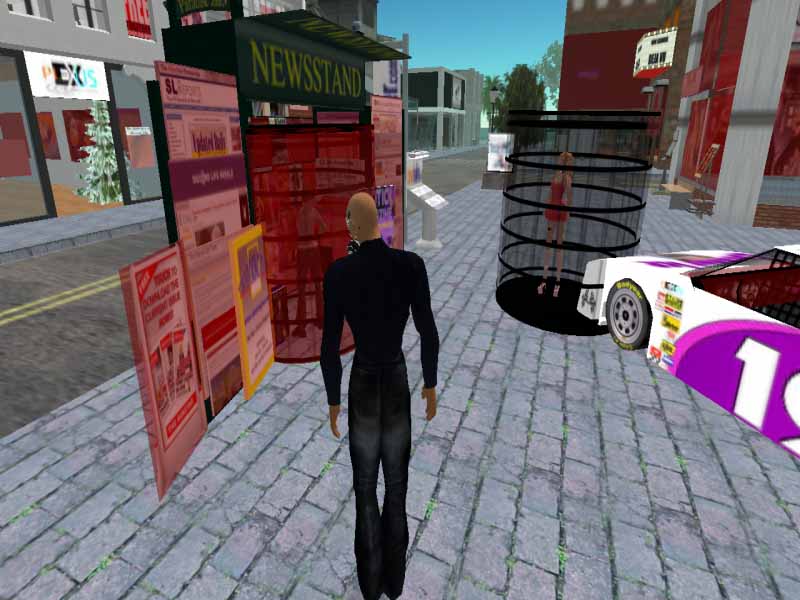
One of the items a SL user created is a "cage" that can trap anyone you target. If you don't know what to do, you might end up stuck there until the loser who caged you decides to let you out. In this case, the loser was mugging people telling them to give him Linden dollars before he'd release them.
Fortunately, this has the same easy answer of teleporting or logging off.
Harrassing, Stalking, Assault
In some cases, the things other players do can be very upsetting and require no consent from you. This could be wandering around naked, thrusting themselves into your character, or who knows what else. The simple solution for anything of this nature is to just teleport away.
Getting "Killed"
You might have heard about the ability for other players to "shoot" and kill yours. I've been assured this can only happen in "combat zones" and even then, all that happens is your avatar will be teleported home.
The simple solution if you don't want to be on the business end of a virtual slaying is to avoid combat zones.
Final Tips from Players
And in no particular order, here are some of the most helpful tips I received from actual Second Life players:

- Take your time in Orientation Island and Help Island, make sure you're comfortable with moving around and using the client before you get into the real world. The only people allowed here are new residents like yourself, also Mentors and Lindens, so you won't be disturbed by trolls & griefers in those places
- Scams in SL look just like scams in real life. If someone asks you to take a survey for some Linden dollars and they ask personal questions about your real identity, treat it the same as you would some stranger at the supermarket (which I hope wouldn't be to provide and do everything they ask). If someone tells you to download and install some program, be skeptical. If they tell you to change your default settings, be skeptical. If they try to offer you an item for no reason and seem very insistent that you use it, be skeptical.
- Get away from the typical "Newbie" areas. Some people's only goal in life seems to be waiting in the areas for new people and harassing them. Don't paint yourself a newb and be subjected to griefers.
- Landmark places you like. The Second Life world is vast so make sure you "landmark" the places you really like so you can find it again (same as bookmarking a website).
- Check out the vast number of video guides available on the web. This way you can see the actual menus and how Second Life works before trying it yourself. This is much faster than experimenting or asking other players to lead you through the basics.
| With a virtual word comes Virtual Crime. Learn how Second Life has demonstrated how real life crime can spread to virtual ones. |
| If you want to mess with Second Life, first take the time to learn a few things first. |
| The Second Life Ultra-Primer is a detailed guide written by an experienced SL player. Be sure to check it out! |
Share This

|

|

|

|

|

|

|
||
