Thursday, March 7th, 2019 (
No comments yet)
This is probably the best summary of who the RIAA is and what they stand for that I've ever heard:

The RIAA is like the Prohibitionists of old. In their view, the law cannot allow for something completely reasonable such as legal circumvention because it could be abused. Millions of people are thereby punished. Yet this is not how a civil society typically functions. Life is full of potentially dangerous products, services, and ideas. It's up to individuals to take responsibility for their actions, because we all know that catering to the lowest common denominator does not give birth to a free society, let alone an intelligent one. Yet the RIAA will stop at nothing to make sure that you and I never have the chance to make such decisions for ourselves.
By "legal circumvention", he refers to the the practice of circumventing Data Rights Management (DRM) for legal purposes such as making personal backup copies, educational uses, and other Fair Use practices. The RIAA is against it because they know that all it takes is one user with a DRM-free copy to post a song online for it to be shared everywhere in the world.
Tags:
Fraud Waste and Abuse,
RIAA
Thursday, March 7th, 2019 (
No comments yet)
Information Week asked six of its readers to give them a review of Windows Vista and the results weren't good.
Problems to date are mostly driver related. I am having all sorts of problems with power management (can't wake up out of Sleep, system starts up in the middle of the night for no identified reason, restart/shutdown often hangs). From what I've been able to find, there are apparently known issues (unresolved) with ASUS/nVIDIA drivers? This problem is really a pain!
Whoah, back up. Starts on its own?!
Tags:
Microsoft,
Windows,
Windows Vista
Thursday, March 7th, 2019 (
No comments yet)
From this page:
Most people don't care about DRM... until it interferes with the Right to Fair Use. If you buy any other product... be it a gun, a car, a chainsaw, a pen, or a knitting needle... you can do whatever the hell you want with it... because it is yours. DRM-protected content is the only product out there that prevents you from doing absolutely anything except for the original intent of the product. If I want to be able to move it to another machine that I own, shrink it for a handheld device, edit out the commercials (all things that the Right of Fair Use allows)... whatever... forget it. And THAT is what makes normal people mad about DRM.
Yup
Tags:
DRM,
Microsoft,
Windows
Thursday, March 7th, 2019 (
No comments yet)
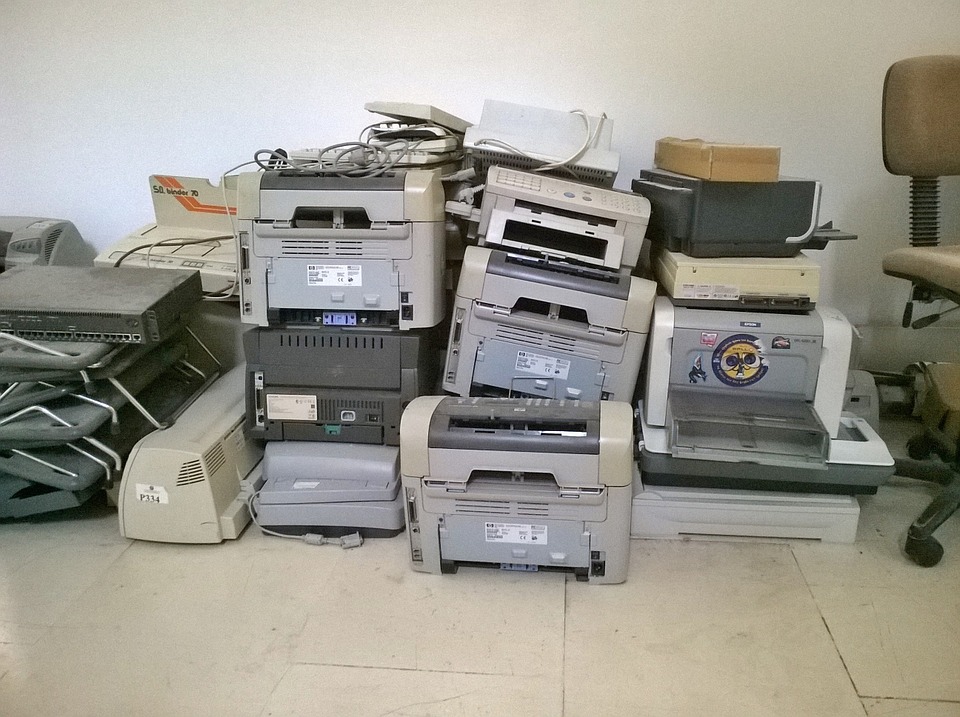
Did you know that many new printers print "tracking dots" that encodes information in everything you print? They are nearly invisible, but can be used by law enforcement or others to specifically identify what printer printed any photo or document.
Since they don't openly disclose this "feature", be sure to stop by the EFF's guide to which printers come with tracking dots and which don't before you choose your next printer.
Tags:
Big Brother,
Big Business,
Tracking Dots
Thursday, March 7th, 2019 (
No comments yet)
You already know that RFID chips can be easily cloned (which is really embarrassing when a company has implanted one into you because it's supposed to be more secure that way…). Now, one company is trying to silence a researcher from presenting his demonstration of how it's done at the upcoming Black Hat conference. Fortunately, an ACLU lawyer will step up and present instead.
Tags:
Accountability,
RFID
Thursday, March 7th, 2019 (
No comments yet)
The Register has been following the story of a massive archive of "dirty tricks" that Microsoft performed during a lawsuit. Recently, the archive disappeared from the Internet, but now it's back in the form of torrents.
Tags:
Big Business,
Microsoft,
Regulation
Wednesday, March 6th, 2019 (
No comments yet)
Schneier writes about a recent attack against home routers that takes advantage of the fact that most people never change the default passwords on their equipment.
One of his commenters said it best:
It has long been standard security practice that when logging in to a new system with a default password, the first required step is to have the user create a new password. If routers did this and refused to function until a customized password was set, none of these problems would occur.
Or more simply put, it's a problem that would never exist and would disappear tomorrow if router manufacturers would bother to make a simple and practically free programming change before shipping them out.
Tags:
Bad Design,
Negligence
Wednesday, March 6th, 2019 (
No comments yet)
When XP came out, I noticed that the cheapies (the really skanky brands) had 256MB of RAM while all the others came with 512. This is because 256 was the minimum recommended RAM size from Microsoft so it was technically "acceptable". The fact is, just because it runs doesn't mean it runs well.
Well Vista is the same, only worse. The minimum recommended RAM size is a laughable 512 MB. I just recently upgraded to 1GB in my home XP machine and have been very seriously considering at least another 1GB for performance.
This Computerworld article recommends 4GB for Vista and explains why. From the article:
For instance, Dell offers a Windows Vista Capable configuration that isn't capable of much, according to what Dell says about it on its Web site: "Great for ... Booting the Operating System, without running applications or games."
To coin a phrase: lol.
Tags:
Microsoft,
Windows,
Windows Vista
Wednesday, March 6th, 2019 (
No comments yet)
Here's another case of fielding a new product without fully evaluating it first. A computer programmer played with a "in-flight game system" finding out that due to common programming mistakes, he was able to crash the system. Every seat has a small screen that can be used to play games or watch movies and every screen went blank when he did this.
Most interestingly, he says that he's glad the crash didn't affect the flight system to which a commentor posted:
as an airplane avionics technician, i can tell you that any and all navigation and control electronics are totally isolated into themselves. anything that can work on it's own, does, and anything that needs to share info does it through solid hard-wiring. There are common data busses to reduce weight from too much wiring, but again, totally isolated. Airlines know better than to link everything together in a network.
Tags:
Bad Design
Wednesday, March 6th, 2019 (
No comments yet)
This is a damn funny article explaining who is the worst of the worst and why:
America Online
America Online's privacy intrusion efforts are so aggressive and offensive, that the only explanation seems to be that AOL thought its clientele was so naïve they would never catch on to the company's privacy invasions.
and…
Amazon.com
Amazon.com is currently among the world leaders in distributing information about its users to advertisers, and if they continue this practice the recent advancements in data mining by Amazon threaten to make shopping online with any form of anonymity a thing of the past.
and (not surprisingly)…
Microsoft
Perhaps the most insidious method of privacy invasion Microsoft employs is the “Windows Live ID ? (formerly Microsoft .NET Passport). The Windows Live ID collects data from the majority of Microsoft networks including MSN, Hotmail, and Xbox Live, and stores them in a central database.
Most of the others were data-brokering companies like ChoicePoint and Acxiom which have already been in the news for the way they treat consumer information. Some that I didn't expect, but am not surprised about are Yahoo and Google.
Thanks to the
EFF newsletter for the link!
Tags:
Acxiom,
Amazon,
AOL,
Big Business,
ChoicePoint,
Data Brokers,
EFF