Friday, March 8th, 2019 (
No comments yet)
The Consumerist found a Walmart PowerPoint presentation outlining their new focus on profiling customers into value groups and treating them accordingly. This is not new (read my Angel/Demon Customer Profiling article for details), but the funny part of it is that WalMart is so mad that it's dirty laundry was aired, that they sent a DMCA takedown notice to the Consumerist.
Walmart, "seemingly" embarrassed by having their "allegedly" sinister plot exposed, threatened the Consumerist into removing it from their site. So here's a copy.
Tags:
Angels and Demons,
Big Business,
Walmart
Friday, March 8th, 2019 (
No comments yet)
With the proliferation of data about customers on an individual level due to technology such as cookies, web bugs, and RFID (ie Spychips), companies have discovered a more valuable way to manage their assets. Customer profiling.
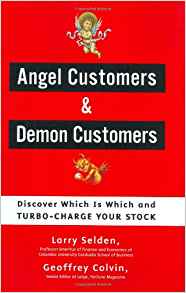
A new customer management policy has grown popularity in the business world which assigns customers the ominous labels of Angel and Demon.
Angels
This pleasant sounding label belongs to a customer who doesn't comparison shop, buys high-margin items, always picks up "extras" (such as extended warranties and accessories), uses store credit, etc. Basically, anyone who brings the store profit.
Demons
Imagine a point system, where every purchase made was given positive or negative points based on profitability. Now imagine that any interaction you have with a company could be tallied into your profile based on how much time and resources they need to spend on you. Here are some things that might count against you:
- Submitting a rebate
- Using your extended service plan
- Making any purchase without a certain percentage of high margin accessories
- Refusal to buy add-on services (such as a free Internet trial or movies-by-mail)
- Spending an over-average amount of time making the purchase decision
- Refusing to be upsold into a higher-end model
- Complaining about the store to management, to consumer watchdogs, or government agencies
After compiling the results of your score, you may be offered terms of credit, pricing, or specials based on that score. For example, "Special price for our 'Platinum' grade customers only!" (where platinum is another word for "angels"). Another example might be putting better customers in a priority queue for customer service by phone. Though only Best Buy (that I know of) has looked at the angel/demon methodology, there's nothing to stop companies from using the profiles on you they already have to do the same.
Tags:
Angels and Demons,
Best Buy,
Big Brother,
Retailers
Sunday, March 3rd, 2019 (
No comments yet)
Sixwise gives and in-depth review of Best Buy's plan to "actively…eliminate " what they call "devil" customers. I've written about this before, but I like how they list specific actions that could land you on the "blacklist".
Most notably, this is the advent of "customer reports" similar to credit reports where you will be assigned a number based on profitability and treated accordingly. If you don't want to see that happen, make sure you let your legislation know.
Tags:
Angels and Demons,
Big Brother,
Market Lies


 Best Buy, a major electronics retailer, is one of the
